Hack Instagram account
Your pictures may be in danger!
How to hack Instagram account?
Passwords are the most widely used authentication solutions in the Internet domain.
We use @usernames and passwords for virtually everything in IT, bank accounts, card payments and connections for Instagram accounts!
The ability to hack a password is part of the essential skills of hackers. Some Instagram passwords are easy to hack and others are very complicated. That's why they use unique solutions and techniques to come to an end. This can be by brute force, DNS, par botnet, par phishing, par spoofing... they all have their own method and their own specialty. Some even trade tools for hacking Instagram passwords on the black market.
How to hack Instagram easily?
Instagram is a platform regularly targeted by cybercriminals. Several techniques are used to hack an online account. Here are some very rare and dangerous methods:
PASS DECRYPTOR
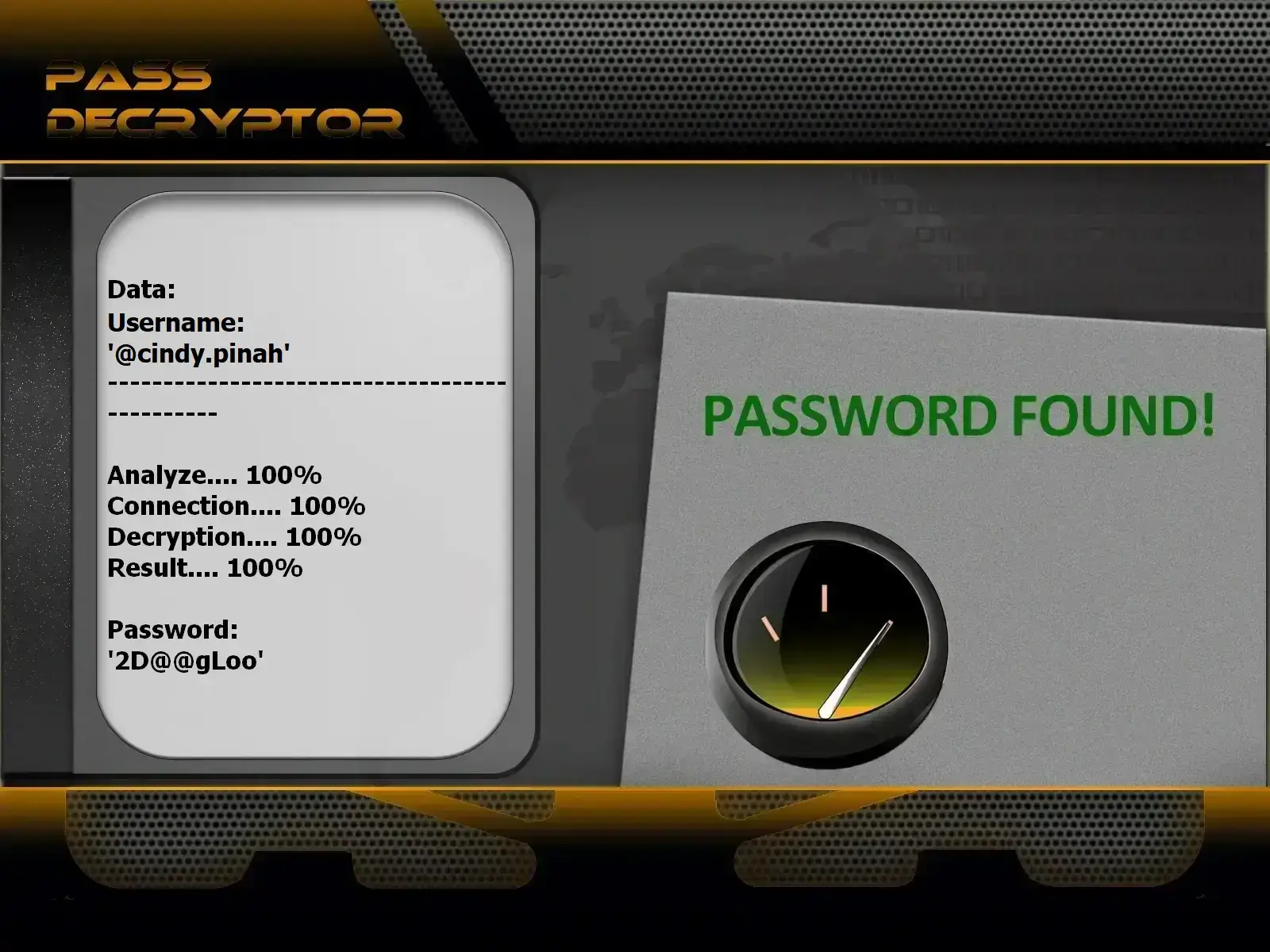
using
PASS DECRYPTOR from @username
(also works with a phone number or email address).
PASS DECRYPTOR is an AI-powered application tool capable of hacking password data to retrieve account credentials.
Since the process is fully automated, all you need to do is wait for it to complete. While this system can decode Instagram passwords, it can also help protect your profile and photos by analyzing and identifying weak or easily guessable passwords.
You can download and start using PASS DECRYPTOR right away from its official website: https://www.passwordrevelator.net/en/passdecryptor
Method 1: Traffic Interception

Internet traffic is the set of actions that we perform when we are connected to the network. This involves the websites visited, the communications established, without forgetting all the maneuvers that we have to perform from your connection to disconnection. For a social network user, for example, most of the traffic will be the communication between him and the servers of the place to be visited. Obviously this is where the problem arises when a hacker comes into action. It has the ability to intercept traffic in different ways. By traffic interception is meant the fact that a person, malicious or not, can become aware of a communication between two terminals even though this was not originally planned or even authorized.
- Monitor and spy on their targets
- Steal personal or business data
- Divert traffic
In our context, traffic interception allows hackers to gain knowledge of the login credentials needed to undertake their hacking and your account.
How can the hacker intercept an Internet user's Internet traffic?
To carry out this action, there are several methods which are:
- Using a fake WiFi network:
- Knowing the habits of Internet users to connect to WiFi, especially those who are not protected by a password, hackers had the idea of creating fake WiFi networks in order to trap them. The WiFi network in question is then deployed in a public space. It may happen that this network usurps the references of another WiFi Hotspot usually used by the target. He waits patiently for the latter to connect to it, taking advantage of his connection to track him. Indeed, the deployed network has surely been prepared to collect enough data on the terminals that connect to it as well as the activities. Even if we talk about it very little, it is a form of recurring attack and easy to set up.
- Packet Interception:
- As we certainly know, the transmission of information between the different DNS servers is carried out by the communication of packets. The problem is that these packages are usually unsigned and unique. Authentication is done only through request numbers. This lack of security certainly makes it easier for cybercriminals. Indeed, they just have to find out which packets are transmitted and their request number to modify them and create new ones. And this time they can determine with some precision the nature of the communications which obviously allows the hacker to be able to carry out these computer hacks as he wishes. In this condition, it can redirect traffic from the
- Eavesdropping:
- It is a cybercrime technique that essentially consists of intercepting traffic with the aim of monitoring all of what its target is doing without intervening materially and directly. It consists in using vulnerabilities in network connections to place malicious scripts likely to help in its surveillance. Just like the previous method, it should be mentioned that it is a technique that requires a very good command of programming and computer hacking in general.
Method 2: Password Hacking

The password is the most important identifier for the security of an online account. All computer attacks start with the intention to find the password or to break it. If today several methods are used to reduce its importance, namely biometric security, we are in no way able to replace it properly. It is for this reason that hackers are constantly looking for ways to hack into online accounts. Several methods are developed and constantly used to circumvent this security measure:
- Password cracking:
- It is a technique that consists of generating multiples of possible combinations of numbers, letters or symbols with the aim of being able to find the password of an account in a random but used way. To achieve this, the hacker will use an automated script combined with powerful algorithms. The effectiveness of the password varies according to the nature of the login identifier, the computer program used as well as the power of the device in charge of calculations.
- The dictionary attack:
- It is a variation of the brute force attack. It is very similar to password cracking because the principle remains somewhat the same. Indeed, the dictionary attack uses an automated script to find the right password that could allow an account to be hacked. However, the difference from password cracking is the use of a dictionary instead of a random combination of letters and symbols. The hacker has gathered a whole set of login data, mainly passwords that have been collected in different ways (hacking, data leaks...). Thanks to these identifiers already compiled, the research software used by the hacker will try to find the correct password. The password search is not random. In the dictionary attack, reference can be made to a set of data such as names and dates of birth. Indeed, users tend to use this data to build their passwords.
- Password salting:
- The digital services we use on a daily basis, whether browsers or applications, are stored in encrypted form. We tend to say that they are hashed so that people who manage to access them cannot find the content. The problem is that hackers often have databases that compile the signatures used to encrypt passwords. Thanks to this, they are clearly able to bypass the hashing of login credentials and harvest passwords in the clear.
- The Time Attack:
- It is a technique used in the field of cryptanalysis. It consists of making analyzes and estimates of the time used during various cryptographic operations in order to be able to collect secret information. Such as passwords for example. Of course, the duration of the operations varies according to the context and the IT tools involved. While not for everyone, for the cryptanalysis industry, the time attack is highly regarded and extremely useful. Obviously, it is necessary to have strong skills in cryptography.
- Acoustic cryptanalysis:
- Also in the field of cryptanalysis, it is a technique that consists of converting sounds emitted by a computer device that performs cryptanalysis and photography operations in order to collect valuable data such as connection identifiers. The hacker will use adequate hardware in the field of crypto processors. This is a technique that has emerged since the Second World War, with the analysis of sounds emitted by keyboard keys. These techniques are still used today.
Method 3: Social engineering

We are talking about a technique that is considered a classic in the world of cybercrime. The social relationship woven between users of digital services is used against them. In social engineering, the person with bad intentions tries to take advantage of this friendly relationship to gather information. In most cases, the information requested by this person seems harmless. She will try to find out your date of birth, ask you where you studied, the name of some relatives or even your pet. The questions are generally targeted since research has shown that login credentials are generally composed with this kind of affiliation. Social engineering does work and several computer attacks have been carried out because of the vulnerability of users in this situation.
Method 4: Spidering

It strongly resembles social engineering in the way it is practiced. Let's even call it a form of social engineering. Spidering is trying to target a particular person in order to determine their habits and preferences. This can be used to target a group of people or even a business. No communication is necessarily necessary. Mostly, the hacker observes his victim from afar and tries to find out how he uses the Internet and Instagram. Thanks to this, he will then try to establish the latter's profile and then try to guess his login credentials.
Method 5: Identity theft

When we talk about hacking, we also forget the aspect that does not necessarily consist of taking control of your online account. It is possible for a hacker to do otherwise: impersonate you and create another Instagram account pretending to be you. If he succeeds in this, he can even push your acquaintances and friends to report your real account. You will lose your Instagram connection and it will continue to impersonate you. But in order for it to be successful in its impersonation, it will first collect information about you. By obviously following your Instagram profile in order to know exactly what data it can use for this.
Method 6: Database Mining

Databases regarding login credentials of social media users like Instagram are not very hard to find. Whether on the Dark Web or on elasticSearch servers, connection data or personal data of social network users are often freely accessible, free or paid. You are probably wondering how such a situation can be possible? We will explain this to you:
- Data leaks:
- Data Leaks are constantly happening in the field of IT and digital. Web platforms are victims of this kind of situation. This is nothing extraordinary because no one is immune to a configuration problem or a technical failure. Unfortunately social networks are particularly the closest because of this large mass of data that they have to manage. There is a marketplace on the Dark Web where information beyond the control of social media is traded.
- Scraping:
- It is a technique used by ordinary people and not necessarily hackers whose goal is to collect the maximum amount of data publicly available on the web. They use specialized software that allows them to gather this information. It's not hacking, it's just data collection. Even if from an ethical point of view this may seem quite disturbing, we must not forget a very important fact, this information is made public freely by the owners of accounts at the risk that it is used in the context of cyber malice. Of course, these are details that do not cross their minds.
What to do with databases?
Once the data is available to them, hackers can perform several types of computer attacks. We can cite the most famous such as phishing, brute force attack, dictionary attack or of course identity theft.
How to effectively protect your Instagram account?

Your Instagram account security is paramount in the digital age. With over 2 billion monthly active users, Instagram has become a prime target for cybercriminals. Thousands of accounts are compromised every day, leading to identity theft, impersonation, and loss of personal data. To effectively protect your online presence, it's essential to implement a multi-layered security strategy that combines best practices with advanced protection tools.
Protecting your Instagram account relies on several fundamental pillars. When applied together, these security measures significantly reduce the risk of hacking and allow you to enjoy your social media experience with peace of mind. Below are the 7 essential steps to secure your Instagram account:
- Safeguard your login credentials
- Avoid saving passwords in your browser
- Use an on-screen keyboard instead of a physical one
- Never log in from a public device
- Use trusted devices and keep them updated
- Enable two-factor authentication
- Physically secure your devices
- Safeguard your login credentials: your first line of defense
- Your login credentials are the key to your digital universe. Protecting this sensitive information must be your top priority. Cybercriminals use sophisticated social engineering techniques to collect personal data that helps them guess or reset your passwords. Therefore, never publicly share information that could serve as login credentials or answers to your security questions.
Whenever you need to share personal information online, always verify the legitimacy of the requester and the security of the communication channel used. Prefer using secondary phone numbers and email addresses dedicated specifically to your social media accounts. This segmentation greatly limits the impact of a potential compromise.
Password selection deserves special attention. According to cybersecurity statistics, over 65% of users reuse the same password across multiple platforms. This dangerous practice turns a simple data breach into a widespread digital catastrophe. In the event of a database compromise, all your accounts become vulnerable to credential stuffing attacks.
Create a unique password for Instagram, composed of at least 12 characters including uppercase letters, lowercase letters, numbers, and special symbols. Absolutely avoid easily guessable personal information. Consider using a passphrase instead of a simple password, as recommended by ANSSI (French National Cybersecurity Agency).
Particularly sensitive data to protect includes:- Your phone number: used for account recovery and two-factor authentication, it should never be displayed publicly on your profile
- Your date of birth: frequently used as a security question or password reset element
- Your email address: the main entry point for phishing attempts and password reset requests
- Your full name and address: facilitate identity theft and targeted attacks
- Your login credentials are the key to your digital universe. Protecting this sensitive information must be your top priority. Cybercriminals use sophisticated social engineering techniques to collect personal data that helps them guess or reset your passwords. Therefore, never publicly share information that could serve as login credentials or answers to your security questions.
- Avoid saving passwords in your browser: an often underestimated risk
- Modern web browsers like Google Chrome, Mozilla Firefox, Safari, and Microsoft Edge all offer built-in password managers to simplify your browsing experience. While convenient, this feature presents significant security flaws that savvy users cannot ignore.
The main issue lies in the accessibility of these saved passwords. On most browsers, anyone with physical access to your unlocked computer can view all your passwords in just a few clicks by navigating to the browser settings. On Chrome, for example, simply go to Settings > Autofill > Passwords to view all stored credentials in plain text.
Cybercriminals also exploit this vulnerability through specialized malware capable of automatically extracting passwords stored in browsers. These increasingly sophisticated malicious programs can exfiltrate your authentication data without your knowledge.
Cybersecurity experts recommend using a dedicated password manager such as Bitwarden, KeePass, 1Password, or Dashlane. These specialized tools offer enhanced encryption, strong authentication, and advanced password generation features. Unlike browser-integrated managers, they require a master password to unlock the digital vault, adding an essential security layer.
If you currently use your browser's password-saving feature, take the time to migrate to a more secure solution and delete all passwords stored in your browser. This simple action can significantly reduce your attack surface.
- Modern web browsers like Google Chrome, Mozilla Firefox, Safari, and Microsoft Edge all offer built-in password managers to simplify your browsing experience. While convenient, this feature presents significant security flaws that savvy users cannot ignore.
- Use an on-screen keyboard instead of a physical one: counter keyloggers
- Keyloggers (keystroke loggers) represent one of the most insidious and effective threats in cybercriminals' arsenals. Once discreetly installed on your computer, these spyware programs silently record every keystroke you make. They capture your login credentials, passwords, private messages, and all sensitive information without your suspicion.
Keyloggers can be installed in various ways: through malicious email attachments, pirated software downloads, infected USB drives, or even direct physical access to your machine. Some hardware variants connect directly between your keyboard and computer, making them particularly difficult to detect.
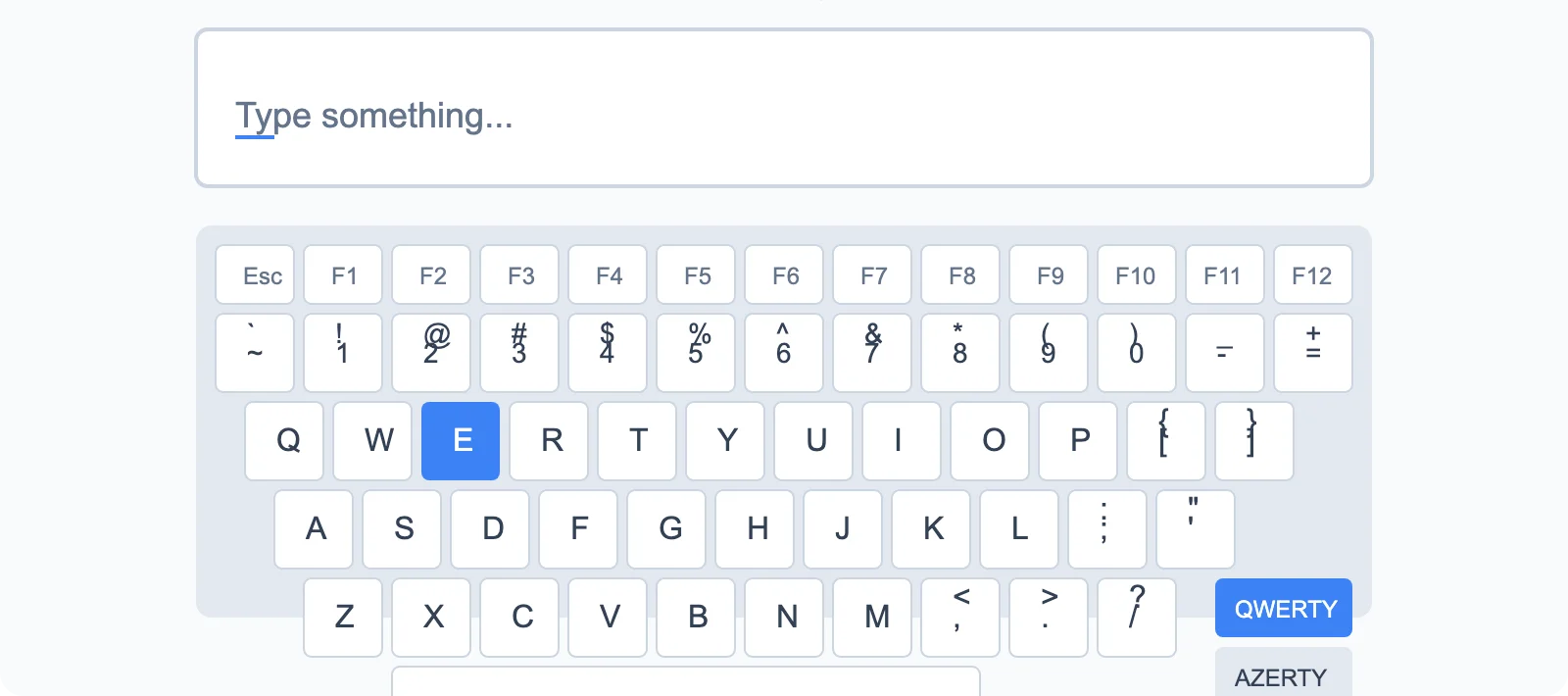
An effective countermeasure against this threat is to use an on-screen keyboard when entering sensitive information, especially your Instagram credentials. Unlike a physical keyboard, the on-screen keyboard operates via mouse clicks or touchscreen taps. Traditional keyloggers that intercept keystrokes at the keyboard driver level cannot record what you enter this way.
To enable the on-screen keyboard on Windows, search for "On-Screen Keyboard" in the Start menu. On macOS, enable "Show Accessibility Panel" in System Preferences. Most mobile operating systems also offer this functionality.
However, be aware that advanced keyloggers can capture screenshots or record mouse click coordinates. For maximum protection, combine the on-screen keyboard with a high-performance antivirus that is regularly updated and capable of detecting suspicious behaviors typical of keyloggers.
Also develop the habit of monitoring active processes on your computer and regularly inspect startup programs. Any unknown software or unusual system behavior (unexplained slowdowns, abnormal network activity) should raise your suspicion.
- Keyloggers (keystroke loggers) represent one of the most insidious and effective threats in cybercriminals' arsenals. Once discreetly installed on your computer, these spyware programs silently record every keystroke you make. They capture your login credentials, passwords, private messages, and all sensitive information without your suspicion.
- Never log in from a public device: an invisible danger
- Public computers available in internet cafes, libraries, hotels, airports, or coworking spaces pose considerable security risks that make them potential traps for your personal data. Even if the urgency of checking your Instagram account seems to justify this risk, the consequences of a compromise can be devastating.
These shared terminals are inherently insecure environments. You have no control or visibility over their security configuration, usage history, or installed software. They may host numerous threats:
Spyware and keyloggers: intentionally installed by malicious individuals or accidentally via infections, these programs record everything you type, including your usernames and passwords.
Unlogged sessions: if the previous user didn't properly log out of their accounts or clear the browser history, sensitive data may be easily accessible.
Malicious proxies and man-in-the-middle attacks: the network to which the public computer is connected may intercept your communications and steal your authentication data.
Persistent session cookies: even after logging out, cookies may remain on the machine and allow someone else to access your account.
If you find yourself in an absolute emergency requiring the use of a public terminal, strictly follow these minimum precautions: always use private browsing (incognito mode), verify that the connection is secure (HTTPS), never check the "stay logged in" option, completely close the browser after use, and immediately change your password from a trusted device.
However, the best practice remains to use exclusively your personal smartphone via your 4G/5G mobile data connection rather than a public terminal. Public WiFi networks also present risks and should be avoided without using a VPN. If you travel frequently, invest in an external battery to ensure your phone's autonomy and thus maintain secure access to your accounts at all times.
- Public computers available in internet cafes, libraries, hotels, airports, or coworking spaces pose considerable security risks that make them potential traps for your personal data. Even if the urgency of checking your Instagram account seems to justify this risk, the consequences of a compromise can be devastating.
- Use trusted devices and keep them updated: the foundation of your security
- Your Instagram account security directly depends on the security of the device you use to access it. A compromised or poorly protected device represents an open door for cybercriminals, nullifying all your other security efforts. Your computer, smartphone, or tablet is the most critical link in your digital security chain.
The crucial importance of security updates
Cybercriminals constantly exploit vulnerabilities discovered in operating systems, applications, and web browsers. Software vendors regularly release security patches to fix these flaws. Neglecting these updates is like intentionally leaving your front door unlocked. Always enable automatic updates on all your devices.
Updates apply to several levels: the operating system (iPhone, Mac, Windows, Android OS, iOS, Android), installed applications, web browsers, and plugins/extensions. Each outdated component represents a potential security flaw that attackers can exploit to take control of your device.
Antivirus and anti-malware protection
Equip your computer with a recognized professional antivirus solution that is regularly updated. Windows Defender offers adequate basic protection for Windows 10 and 11 users, but third-party solutions like Kaspersky, Bitdefender, ESET, or Norton provide additional advanced features. Perform full weekly scans and keep real-time protection permanently enabled.
Complement your antivirus with a dedicated anti-malware tool like Malwarebytes, which detects specific threats that traditional antivirus software might miss, including PUPs (potentially unwanted programs), adware, and sophisticated spyware.
Firewall and network protection
The firewall is your first line of defense by monitoring and controlling incoming and outgoing network traffic. Ensure your operating system's firewall is enabled. For advanced users, third-party firewalls like ZoneAlarm offer more granular control over network connections.
Using a VPN for privacy
A VPN (Virtual Private Network) encrypts all your internet traffic and hides your real IP address. This protection is particularly important when using public WiFi networks but also enhances your overall online privacy. Reputable services like NordVPN, ExpressVPN, ProtonVPN, or Mullvad offer excellent security levels.
The VPN prevents your internet service provider, network administrators, and potential spies from monitoring your online activities, including your Instagram connections. It also protects against certain attacks, such as data interception on unsecured networks.
Digital hygiene and best practices
Only download software from official sources (Microsoft Store, App Store, Google Play, official publisher websites). Beware of pirated software, which often contains malware. Avoid clicking on suspicious links in emails, messages, or advertisements. Uninstall unused programs that unnecessarily increase your attack surface.

- Your Instagram account security directly depends on the security of the device you use to access it. A compromised or poorly protected device represents an open door for cybercriminals, nullifying all your other security efforts. Your computer, smartphone, or tablet is the most critical link in your digital security chain.
- Enable two-factor authentication: the essential security layer
- Two-factor authentication (2FA), also called two-step verification or multi-factor authentication (MFA), is the most effective security measure to protect your Instagram account against unauthorized access. This crucial feature adds an extra layer of protection that remains effective even if your password is compromised.
Why is two-factor authentication essential?
No password, no matter how complex, offers absolute security. Modern hacking techniques include sophisticated phishing, distributed brute-force attacks, data breach exploitation, and advanced social engineering. A stolen or guessed password is no longer sufficient to access the account when two-factor authentication is enabled, as the attacker would need a second authentication element they don't possess.
According to Google statistics, enabling two-factor authentication blocks 100% of automated bot attacks, 99% of mass phishing attacks, and 66% of sophisticated targeted attacks. These figures demonstrate the remarkable effectiveness of this protection.
Different two-factor authentication methods on Instagram
1. SMS verification (less secure but better than nothing)
Instagram sends a 6-digit code via SMS to your registered phone number. You must enter this code to complete the login. Although convenient, this method has vulnerabilities: SMS messages can be intercepted via SIM swapping attacks, where the attacker convinces your mobile carrier to transfer your number to a new SIM card they control.
2. Authentication app (strongly recommended)
Apps like Google Authenticator, Microsoft Authenticator, Authy, or 2FAS generate temporary codes based on a TOTP (Time-based One-Time Password) algorithm. This method is more secure than SMS because it works offline and cannot be intercepted. Codes change every 30 seconds, making their exploitation by an attacker virtually impossible.
3. Physical security keys (maximum protection)
Hardware security keys like YubiKey or Google Titan Security Key offer the highest level of protection. These USB or NFC devices must be physically present to authenticate the connection, making remote attacks impossible.
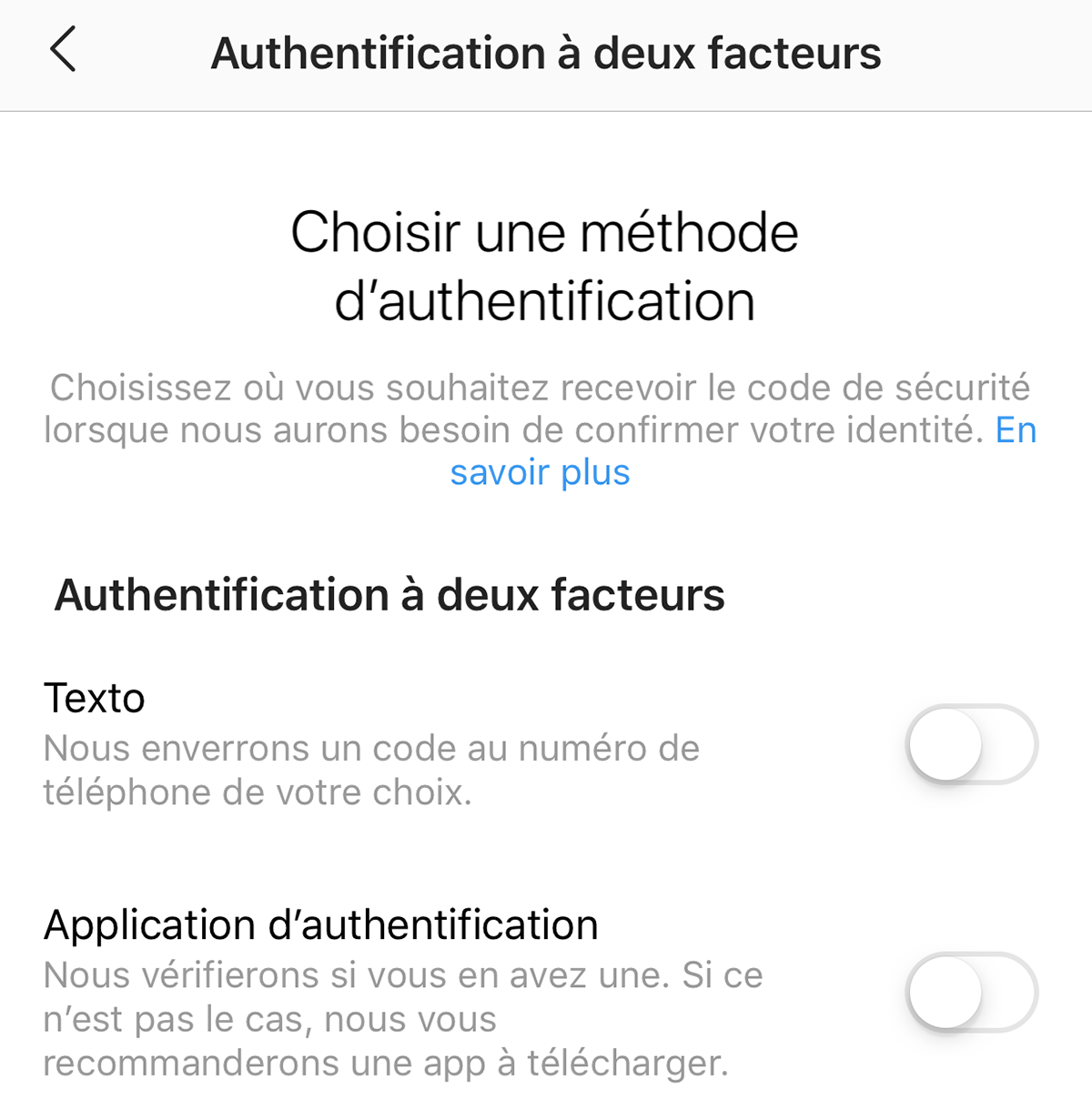
How to enable two-factor authentication on Instagram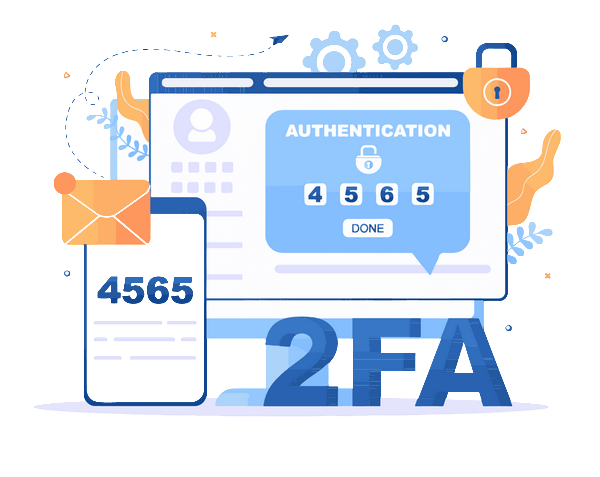
1. Open the Instagram app and go to your profile
2. Tap the menu (three horizontal lines) then "Settings and privacy"
3. Select "Accounts Center" then "Password and security"
4. Choose "Two-factor authentication"
5. Select the account to secure and choose your preferred method
6. Follow the instructions to set up authentication
Recovery codes: your lifeline
When enabling two-factor authentication, Instagram generates emergency recovery codes (usually 5 to 10 codes). Save them securely in a safe place, preferably offline (physical safe, encrypted password manager). These codes will allow you to regain access to your account if you lose your phone or no longer have access to your primary authentication method.
Never underestimate the importance of two-factor authentication. It's your best defense against account hijacking, and this protection takes only a few minutes to set up for lasting peace of mind.
- Two-factor authentication (2FA), also called two-step verification or multi-factor authentication (MFA), is the most effective security measure to protect your Instagram account against unauthorized access. This crucial feature adds an extra layer of protection that remains effective even if your password is compromised.
- Physically secure your devices: security starts with access control
- Software protection for your Instagram account becomes completely ineffective if your physical devices aren't secured. Unauthorized physical access to your smartphone, tablet, or computer allows an attacker to bypass most of the security measures you've implemented. Physical security is therefore the fundamental foundation of your overall protection strategy.
Locking and access control
Your computing device should always be locked when not in use, even for short periods. This basic protection prevents anyone nearby from accessing your personal data, online accounts, and active sessions.
For computers, configure automatic locking that activates after a maximum of 5 minutes of inactivity. Get into the habit of manually locking your screen (Windows + L on Windows, Ctrl + Command + Q on Mac) every time you step away from your workstation. On smartphones, enable automatic locking after 30 seconds to 1 minute of inactivity.
Advanced biometric authentication methods
Biometric technologies offer superior security compared to simple PIN codes or passwords for device unlocking:
Fingerprint recognition: available on most modern smartphones and some laptops, this method is fast and secure. Make sure to register multiple fingers for greater flexibility.
Facial recognition: Apple's Face ID and Windows Hello use sophisticated 3D sensors that are difficult to fool. Unlike basic 2D camera facial recognition, these systems resist photos and masks.
Iris recognition: less common but extremely secure, this technology scans the unique patterns of your iris.
Combine these biometric methods with a strong password or PIN as a backup method. Avoid obvious PIN codes like "0000," "1234," or your birthdate.
Protection against theft and loss
Enable remote location and wipe features on all your devices: "Find My" for Apple, "Find My Device" for Android and Windows. These tools allow you to locate your lost device, lock it remotely, display a message on the lock screen, and as a last resort, completely erase all data it contains.
Record the serial numbers (IMEI for smartphones) of your devices and keep them in a safe place. This information is crucial for reporting theft and potentially blocking the device on mobile networks.
Hard drive and data encryption
Full disk encryption ensures that even if someone gains physical access to your hard drive (by removing it from the computer, for example), they cannot read its contents without the decryption key. BitLocker is integrated into Windows Pro and Enterprise, FileVault into macOS, and LUKS into Linux distributions. Modern smartphones automatically encrypt their data.
Vigilance in public places
In public spaces, never leave your device unattended, even briefly. Opportunistic thefts are extremely common in cafes, libraries, airports, and public transportation. Use a Kensington security cable to physically secure your laptop in shared environments.
Be aware of your surroundings when entering passwords or sensitive information. "Shoulder surfing" (looking over your shoulder) is a simple but effective technique used by identity thieves. Position yourself to shield your screen from prying eyes and use privacy screen filters if you regularly work in public spaces.
Regular and redundant backups
Although not directly related to preventing Instagram hacking, regular data backups are essential protection against information loss in case of theft, hardware failure, or ransomware attacks. Apply the 3-2-1 rule: keep 3 copies of your important data, on 2 different media, with 1 copy offsite (cloud or external storage in another location).
Active sessions and logout
Regularly check your Instagram account's active sessions. In the security settings, Instagram displays a list of all devices currently connected to your account with their approximate location and last activity date. Immediately log out of any session you don't recognize, as this may indicate unauthorized access to your account.
When using Instagram on a shared or borrowed device (although discouraged), make sure to log out completely before returning the device. Simply closing the app isn't enough: perform an explicit logout from the account settings.
Advanced physical protection for professionals
For professional Instagram users (influencers, businesses, content creators) whose accounts represent significant commercial value, consider additional physical security measures:
• Use a device dedicated exclusively to managing your professional accounts
• Store your devices in a safe or secure space when not in use
• Enable security alerts to be immediately notified of any suspicious login
• Subscribe to professional cybersecurity insurance covering account hacking
• Document all your security measures to facilitate account recovery in case of an incident
Physical security of your devices isn't just a precaution—it's the foundation upon which your entire digital protection strategy rests. A poorly protected device instantly nullifies all your efforts to create complex passwords, enable two-factor authentication, and remain vigilant against online threats.
- Software protection for your Instagram account becomes completely ineffective if your physical devices aren't secured. Unauthorized physical access to your smartphone, tablet, or computer allows an attacker to bypass most of the security measures you've implemented. Physical security is therefore the fundamental foundation of your overall protection strategy.
Conclusion: A holistic approach to Instagram security
Protecting your Instagram account requires a holistic approach combining vigilance, best practices, and appropriate technological tools. No single measure can guarantee absolute security, but rigorously applying these seven fundamental pillars drastically reduces the risk of your account being compromised.
Cybersecurity is an ongoing process, not a one-time setup. Threats constantly evolve, as do cybercriminals' techniques, who continually devise new ways to exploit emerging vulnerabilities. Stay informed about the latest threats and Instagram security updates. Regularly consult Instagram's Help Center for official security recommendations.
Develop permanent security awareness: systematically question requests for personal information, examine URLs before clicking, be wary of offers that seem too good to be true, and trust your instincts when something seems suspicious. Most successful hacks exploit human negligence rather than sophisticated technical vulnerabilities.
Finally, raise awareness among your circle about these security practices. A secure social network is one where every user contributes to collective security by adopting responsible behaviors. Share this knowledge with your family, friends, and colleagues to create a safer digital environment for everyone.
If your account is compromised: If, despite all these precautions, your Instagram account is hacked, act immediately: try to reset your password via recovery email or SMS, contact Instagram's official support, warn your contacts to prevent them from falling victim to phishing attempts using your identity, and document all incident details to facilitate account recovery.
Your digital presence security deserves an investment of time and attention. The few minutes you spend today properly securing your Instagram account could save you hours, or even days, of stress and complex procedures to recover a compromised account. Protect yourself now.
Frequently Asked Questions (FAQs)
Q: Is it legal to hack an Instagram account?
A: No, hacking into someone's Instagram account without their consent is illegal and unethical. It violates privacy laws and can lead to severe consequences.
Q: How can I protect my Instagram account from hacking?
A: You can protect your Instagram account by using strong, unique passwords, enabling two-factor authentication, avoiding public WiFi networks, keeping your devices updated and being cautious of phishing attempts.
Q: What should I do if my Instagram account is hacked?
A: If you suspect that your Instagram account has been hacked, immediately change your password, revoke access to any suspicious third-party apps and report the incident to Instagram's support team for further assistance.
Q: Is it safe to use password managers in web browsers?
A: While password managers can be convenient, storing passwords in web browsers may pose security risks. It's advisable to use reputable password managers with robust encryption features to safeguard your login credentials.
Q: What is two-factor authentication (2FA) and why is it important?
A: Two-factor authentication adds an extra layer of security to your accounts by requiring two forms of verification before granting access. This typically involves something you know (like a password) and something you have (like a smartphone for receiving authentication codes), reducing the risk of unauthorized access.